



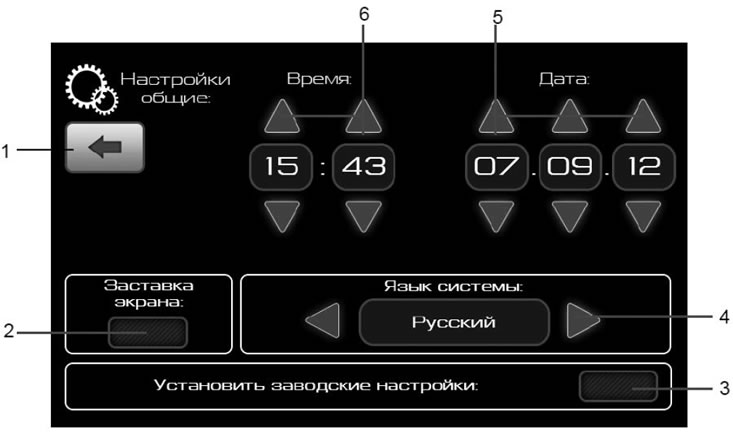
Figure 16. General settings window
- 1 - button to return to the previous menu;
- 2 - button to set the screensaver;
- 3 - Factory reset button;
- 4 - indicator and language setting buttons;
- 5 - indicator and date setting buttons;
- 6 - indicator and buttons for setting the clock.
To set the screensaver, press button 2 (figure 16). The screensaver is displayed on the screen, showing the time and date, if the user has not performed any actions with the radio receiver for one minute.
(Data obtained from the website LADAMAN.ru)