



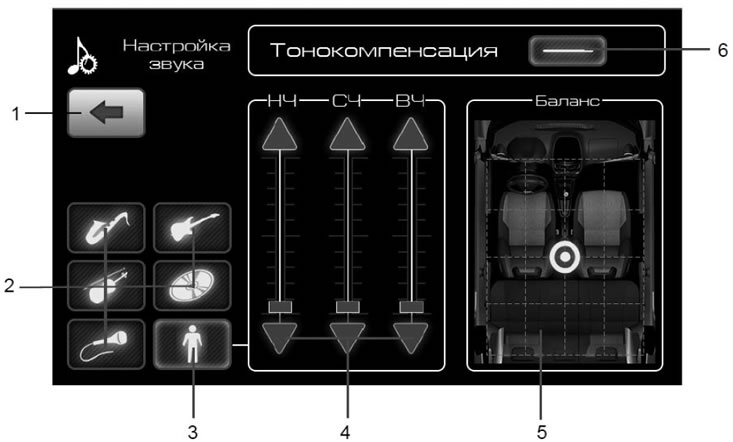
Figure 18. Sound settings window
- 1 - button to return to the previous menu;
- 2 - buttons for switching fixed equalizer settings;
- 3 - button to enable custom equalizer settings;
- 4 - equalizer buttons and indicator;
- 5 - balance adjustment field;
- 6 - tone compensation on/off button.
The desired sound timbre is set using the fixed settings buttons 2 or the equalizer buttons 4 after turning on the user setting with button 3 (figure 18).
Balance adjustment field 5 (figure 18) serves to set the desired volume distribution throughout the interior.