



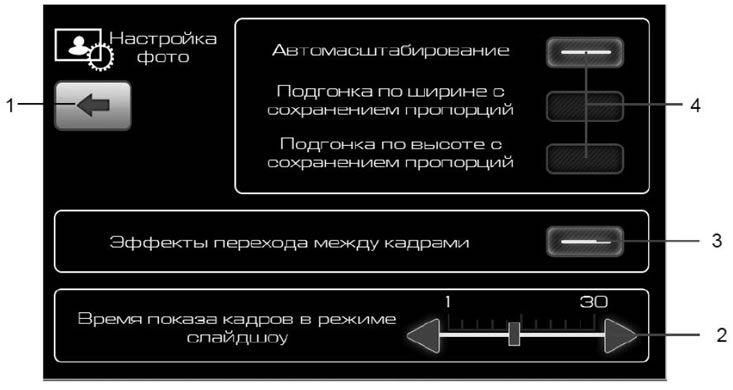
Figure 21. Photo settings window
- 1 - button to return to the previous menu;
- 2 - slider for setting the display time of one frame;
- 3 - buttons to enable the transition effect between frames;
- 4 - buttons for setting up photo display.
By selecting one of the buttons 4 (figure 21) you can select one of the image scaling modes:
- autoscaling;
- adjusting to width while maintaining proportions and possible vertical cropping;
- height adjustment while maintaining proportions and possible horizontal cropping.
(Full article on the website: LADAman.ru)
After pressing button 3 (figure 21) the frames will change with a transition effect.
Slider 2 (figure 21) sets the frame display time in slide show mode.