



Note: Switch Part Numbers see here.
Attention. Removal and installation of steering column switches is performed without removing the steering wheel.
Removal
Place the vehicle in the work area and apply the parking brake.
Turn the steering wheel towards the switch being removed and turn off the ignition (the operation is performed to provide access to the screws securing the switch through the upper opening of the steering wheel).
Loosen the two screws securing the steering column covers and...
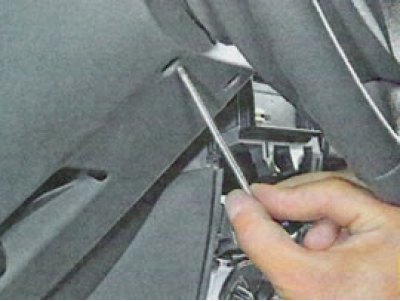
... having overcome the force of the clamps, remove the upper...
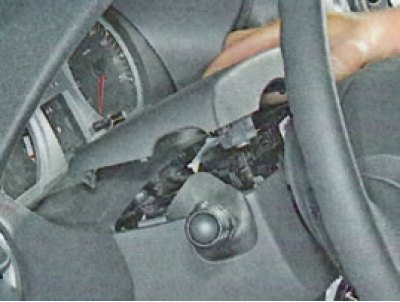
... and the lower steering column covers.
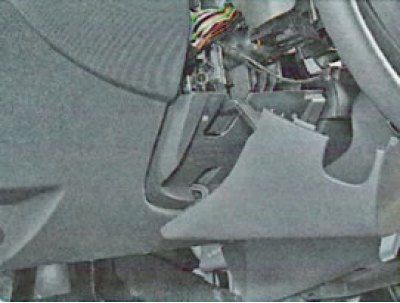
Caution: Before removing the windshield wiper mode switch, remove the transponder receiving coil from the ignition switch housing.
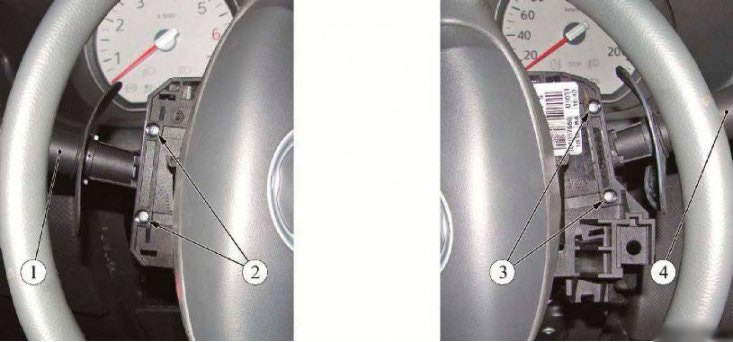
Figure 4-1 - Removing the steering column switches: 1 - direction indicator and headlight switch; 2 - screws for fastening the turn signal and headlight switch; 3 - screws for fastening the windshield wiper mode switch; 4 - windshield wiper mode switch
Unscrew the two screws (2) on the left or (3) on the right, Figure 4-1, fastenings, remove the switch (1) or (4) from the switch block housing.
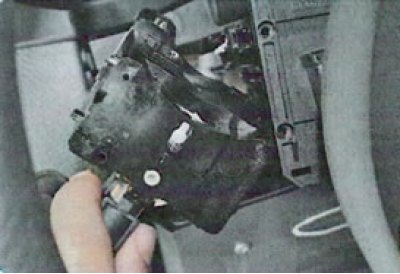
Disconnect the wiring harness connector from the switch and remove the switch (phillips screwdriver).
Checking the operation of the steering column switches
Check the correct closure of the switch contacts in different positions. Connect a 12V test light (with current source) or an autotester with a circuit "continuity" function to the corresponding terminals indicated in the table. 1 and 2. The switch terminal numbers are shown in the figure 1 and 2.
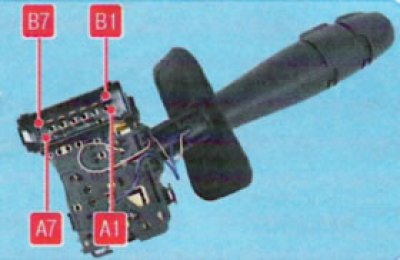
Figure 1. Pin numbers of the exterior lighting and direction indicator switch.
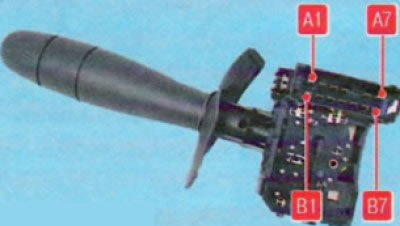
Figure 2. Windshield Wiper and Washer Switch Pin Numbers
Table 1. At different positions of the lever of the switch of external lighting and direction indicators with the button to turn on the horn
| Switched on device | Closed contact numbers |
| Left turn signal | A7-A6 |
| Right turn signal | A5-A6 |
| Side light | B1-B2 |
| Switching low/high beam | B5-B3 |
| High beam headlights | B5-B3 + B7-B6 |
| Front fog lights | A1-B2 + B1-B2 |
| Rear fog light | AZ-B2 + B1-B2 |
| Sound signal | A4-B6 |
Table 2. At different positions of the windshield wiper and washer switch lever with the trip computer display mode switching button
| Switched on device | Closed contact numbers |
| Windshield washer pump | A4-B4 |
| Low windshield wiper speed | AZ-A7 |
| High speed windshield wiper | A2-A7 |
| Intermittent wiper mode | A1-A7 + AZ-A6 |
| Intermittent wiper mode, low speed | AZ-A6 |
| Button for switching display modes of the on-board computer | A4-B7 |
Move the switch lever to the position corresponding to the contacts being tested - the lamp should light up. Otherwise, the switch is faulty.
Installation
Connect the instrument panel harness connector to the switch.
Install the switch into the switch block housing and secure with two screws (phillips screwdriver).
Install the transponder receiving coil, if removed.
Install the upper and lower steering column covers and secure with two screws.
Turn on the ignition and check the operation of the steering column switches.