



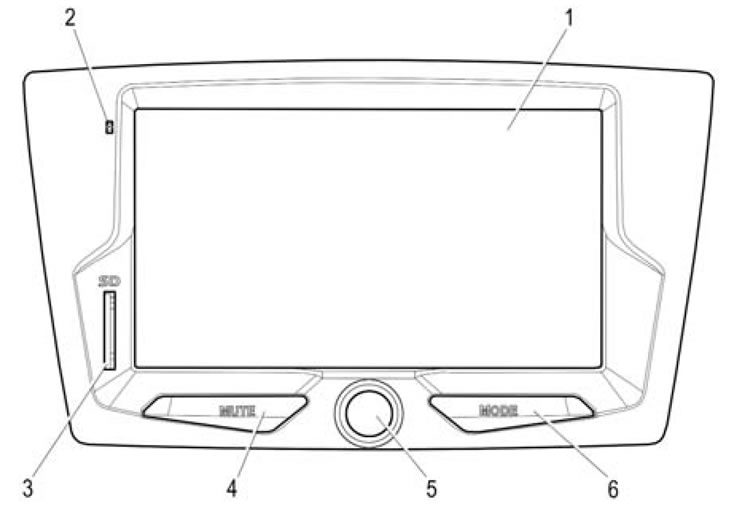
Figure 1. Front panel of the radio receiver
- 1 - Display with touch panel.
- 2 - Microphone.
- 3 - SD memory card slot.
- 4 - MUTE - sound off button.
- 5 - Volume control knob with on/off button.
- 6 - MODE - mode switching button.
1.1.1 Figure 1 shows the appearance of the radio receiver.
1.1.2 The USB flash drive is connected to the radio via the connector located in the glove box ("glove compartment") of the car.
(The text of the article was taken from the website www.ladaman.ru)