



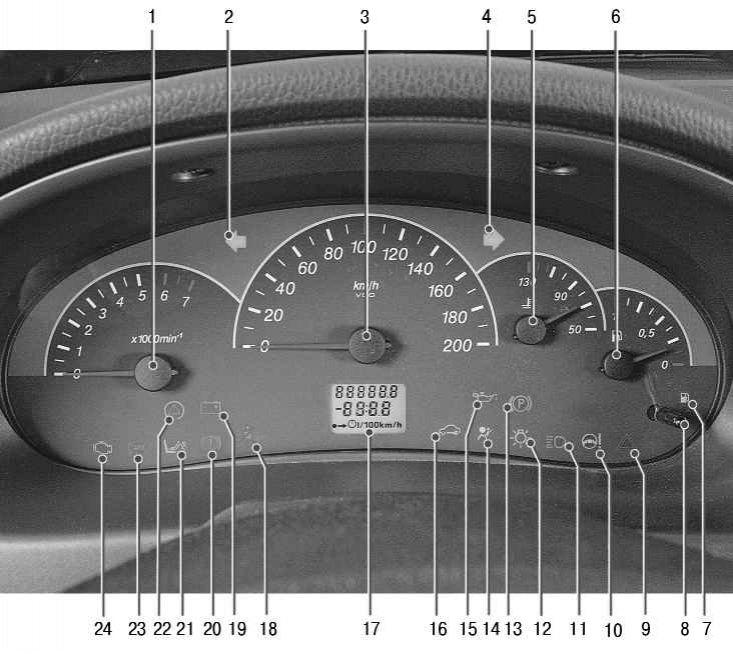
Figure 1.7. Instrument cluster
The trip computer is an electronic device with a liquid crystal display 17 (see figure 1.7) which displays information about the trip: outside temperature, travel time, mileage on the remaining fuel in the tank and average fuel consumption.
The top line of the display shows data on the vehicle's mileage, total or daily. Turn on the desired mode by pressing button 8 (see figure 1.7). If the display shows the daily mileage, to reset the readings, press button 8 and hold it for more than 3 seconds.
The bottom line optionally displays the parameters specified in the table. 1.3. To switch between indication modes and control functions, use keys 1 and 2 on lever 5 (see figure 1.7) steering column switch for windshield wipers and washers.
Table 1.3. Trip computer parameters displayed on the display
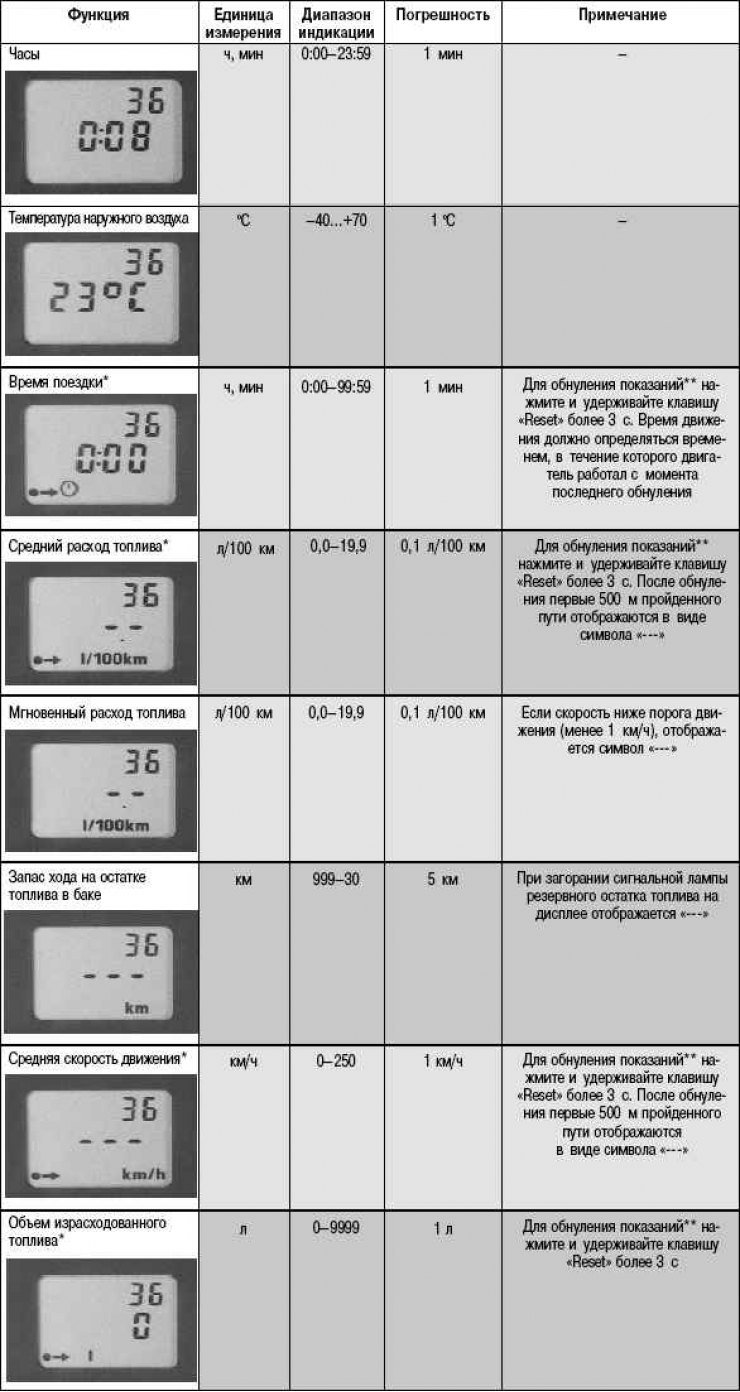
* The values of the displayed parameters refer to the interval since the last reset.
** The following functions are reset at the same time: trip time, average fuel consumption, average speed and volume of fuel consumed.