



AC and MMS are activated during pre-sale preparation by entering an individual code. After the power supply in the vehicle network is disconnected, the AC or MMS is deactivated. To enter an individual AC or MMC code, contact your LADA dealer.
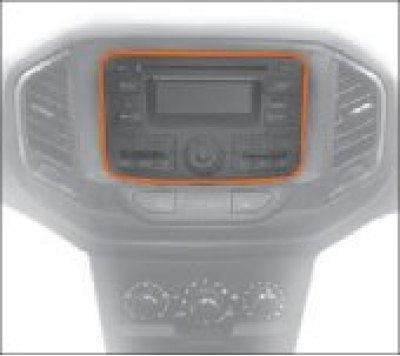
Figure 7.9. Audio system
Warning! To prevent an accident while driving:
- do not configure the system playback modes;
- to hear horns from other cars, do not make the sound very loud.
- do not allow liquid to enter the AC and MMS.
This may result in short circuits, fire or other damage.
Avoid parking your vehicle in areas exposed to direct sunlight, which can cause the interior temperature to become excessively high.
Allow the interior temperature to cool before starting playback.
The AC and MMS are designed for connection to the vehicle's 12 V on-board network with a negative terminal on the body.
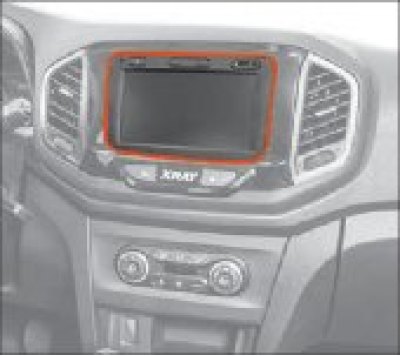
Figure 7.10. Multimedia system (in a variant design)
Original text on the website LADAMAN.RU
Control bodies of the AS
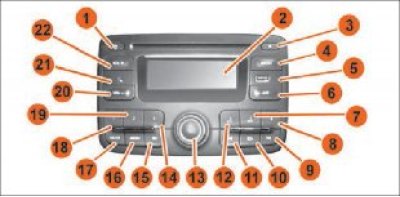
Figure 7.11. AS controls:
1 – Audio system on/off button.
2 – Information display.
3 – Compact disc (CD) eject button.
4 – Selecting a radio receiver and radio broadcast range.
5 – USB connector.
6 – Button for storing 6 radio stations with the strongest signal (AST) in memory.
7, 8, 12, 14, 18, 19 – Buttons for selecting/saving radio stations into memory.
7 – Button to enter the "Phone" mode.
8 – Return button.
11, 15 – Button to change/rewind the audio track or button to change/scroll through radio stations.
13 – Encoder handle.
17 – Menu selection button (individual settings or AST).
20 – Button for selecting an additional audio device.
21 – Volume down button.
22 – 3.5 mm jack for connecting an additional audio device.
23 – Volume up button.
MMS Management (in a variant design)
Note: After turning on, the multimedia system will enter the pre-off mode.
When first turned on (or after disconnecting/connecting the battery terminals) the multimedia system is switched on in the main menu mode. At low negative or high positive ambient temperatures, the MMS may turn on with a delay. It is necessary to warm up/cool down the car interior. Then, when a certain temperature level is reached, the MMS will turn on automatically.
The MMS is automatically switched on when the ignition key is turned to the "+ACC" or "ON" positions, unless it was forcibly switched off by button 2 before the ignition was switched off. To switch off the multimedia system, press button 2 and hold it down until display 7 switches off.
To decrease the volume, press button 3. To increase the volume, press button 4.
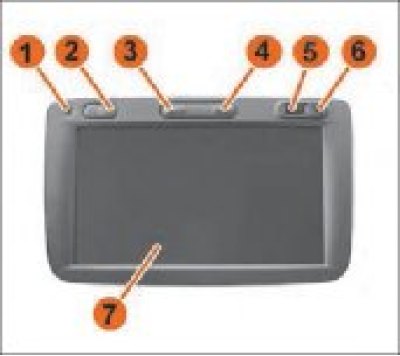
Figure 7.12. MMS control: 1 – Microphone. 2 – On/off button. 3 – Volume down button. 4 – Volume up button. 5 – USB connector. 6 – 3.5 mm plug connector. 7 – Display with touch panel.
Attention! The radio receiver saves user settings (radio frequencies, sound settings, user settings) after disconnecting the battery terminals no more than 10 days.
Note: In the case where visual information is accompanied by an audible signal, the radio receiver automatically adjusts the sound volume.
Switching on is done by pressing briefly (1-2 seconds) on button 2 (Figure 7.12).
A detailed description of the functions and settings of the AC and MMS is given in the relevant documents: "Audio system. User's Guide" and "Multimedia System. User's Guide".